
Visualization Techniques
What are Visualization Techniques in EDA?
Imagine trying to understand the plot of a two-hour movie by reading the raw binary code of the video file. It would be impossible! But when you press “play,” your screen translates that code into moving pictures, and you instantly understand the story.
In Machine Learning, Visualization Techniques do exactly that for data. Instead of staring at a massive spreadsheet with thousands of rows and columns, we use graphs and charts to translate raw numbers into visual stories. It is the process of drawing pictures of your data so your human brain can instantly spot patterns, trends, and weird mistakes.
Connecting to What We Know
If you look back at our Exploratory Data Analysis (EDA) journey, visualization isn’t really a new step; it’s the superpower we use to accomplish all the previous steps:
- Structure: We visualize data to spot missing values (like a blank space on a chart).
- Distribution: We use histograms to see the bell curve or skew of our data.
- Correlation: We use scatter plots to see if two columns are moving together.
- Feature Importance: We use bar charts to rank our VIP features.
Machine learning models only see math, but as the human designing the model, you need to see the big picture. Visualizations bridge the gap between human intuition and machine logic.
Step-by-Step: The Core EDA Visualizations
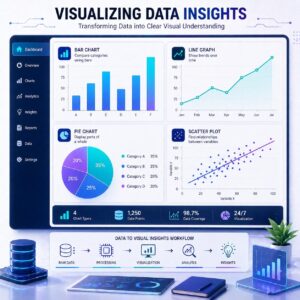
When exploring data, data scientists have a standard “toolbox” of charts. Here is the logical flow of when to use which tool:
1. The Histogram (For One Variable)
- What it does: It groups numerical data into buckets to show the distribution (shape).
- Real-life example: If you want to see the distribution of ages of people on a cruise ship, a histogram will quickly show you if it’s mostly kids, mostly retirees, or an even mix.
- Why ML needs it: To check if your data is skewed or follows a normal, balanced bell curve.
2. The Scatter Plot (For Two Variables)
- What it does: It plots dots on an X and Y axis to show the relationship (correlation) between two numerical columns.
- Real-life example: Plotting “House Square Footage” on the bottom and “House Price” on the side. You’ll instantly see a line of dots sloping upward, proving bigger houses cost more.
- Why ML needs it: To find out which features strongly predict your target outcome.
3. The Box Plot (For Catching Outliers)
- What it does: Also known as a “box and whisker” plot, it draws a box around where the majority of your data lives, and uses “whiskers” (lines) to show the extremes. Dots outside the whiskers are outliers.
- Real-life example: Looking at salaries in a company. The box shows the average workers ($50k–$80k), but a lone dot way up at the top of the chart instantly highlights the CEO making $5 million.
- Why ML needs it: Outliers can destroy a machine learning model’s accuracy. Box plots act as an alarm system to find them.
4. The Line Graph (For Time)
- What it does: Connects data points with a continuous line to show changes over time.
- Real-life example: Tracking a company’s stock price over a year.
- Why ML needs it: If you are building a model to predict future sales, you need to see if there are seasonal trends (e.g., sales always spike in December).
You can explore how these different charts look and behave using this interactive gallery:
Show me the visualization
Practical Use Cases: Why do we do this?
Beyond just making pretty slides, visualization is a highly practical step:
- Data Cleaning: Your brain is incredible at spotting visual anomalies. A single dot placed far away from the rest of the data on a scatter plot instantly tells you, “Hey, there’s a typo in row 4,021!”
- Storytelling to Non-Techies: When you finish your ML model, you have to convince a boss, a hospital, or a bank to actually use it. You can’t show them raw Python code or correlation matrices. You show them a clean, easy-to-read chart.
- Confirming Model Logic: If your visualization shows that yellow cars sell for cheaper, but your model predicts yellow cars are the most expensive, the visualization tells you that your model has a bug.
Summary
Visualization techniques are the magnifying glass of Exploratory Data Analysis. By converting raw rows and columns into Histograms, Scatter Plots, Box Plots, and Line Graphs, we can instantly understand the structure, shape, and relationships hiding in our data. It allows us to catch errors, identify the most important features, and ultimately communicate our findings to the real world before we ever begin training a machine learning model.